Resonance Suppressor

Quance

Resonance control that knows what to leave alone.

Quance checks your audio, finds the peaks that make listening tiring, and reduces them as you play. The harmonics, transients, and tone that shape your sound stay the same.

Launch Sale ends 30 November 2026

  • Free 7-day trial
  • VST3 / AU / AAX
  • macOS + Windows
Trial
Free 7-day trial
Purchase
One-time purchase, no subscription

Visualized

Resonance control in motion

Quance works only where the spectrum causes problems, and only as long as needed. Delta plays back what is leaving the signal on its own: rings and fizz, very little of the instrument.

Resonances found and reduced, moment by moment
Delta: only what is being removed

The Problem

Every engineer knows this problem

When you cut harshness, you often lose something you want in the mix. The vowel loses its edge, the snare loses its snap, and while the mix gets smoother, it can also feel less powerful.

Quance was made to solve this. Hundreds of self-adjusting spectral filters work only where the spectrum causes problems, and only as long as needed. Protection systems work with the detector to avoid cuts that could harm your sound.

You choose how much cleanup you want using a simple amount control. Quance finds where to apply it and keeps updating its choices every few milliseconds.

Engineers helped design it

Built With Professionals

Quance began with a question: What if engineers helped design resonance control? We looked at current tools and set out to make them better. Then we did what every developer should do: we shared our prototypes with top recording engineers and producers and asked how we could improve them.

The feedback we received was practical. Could we add this? Could we make that easier? Every conversation focused on workflow and performance, and each round of feedback shaped the plugin. Quance is the result.

When we started getting emails like this from a top professional, we knew we had achieved our goal.

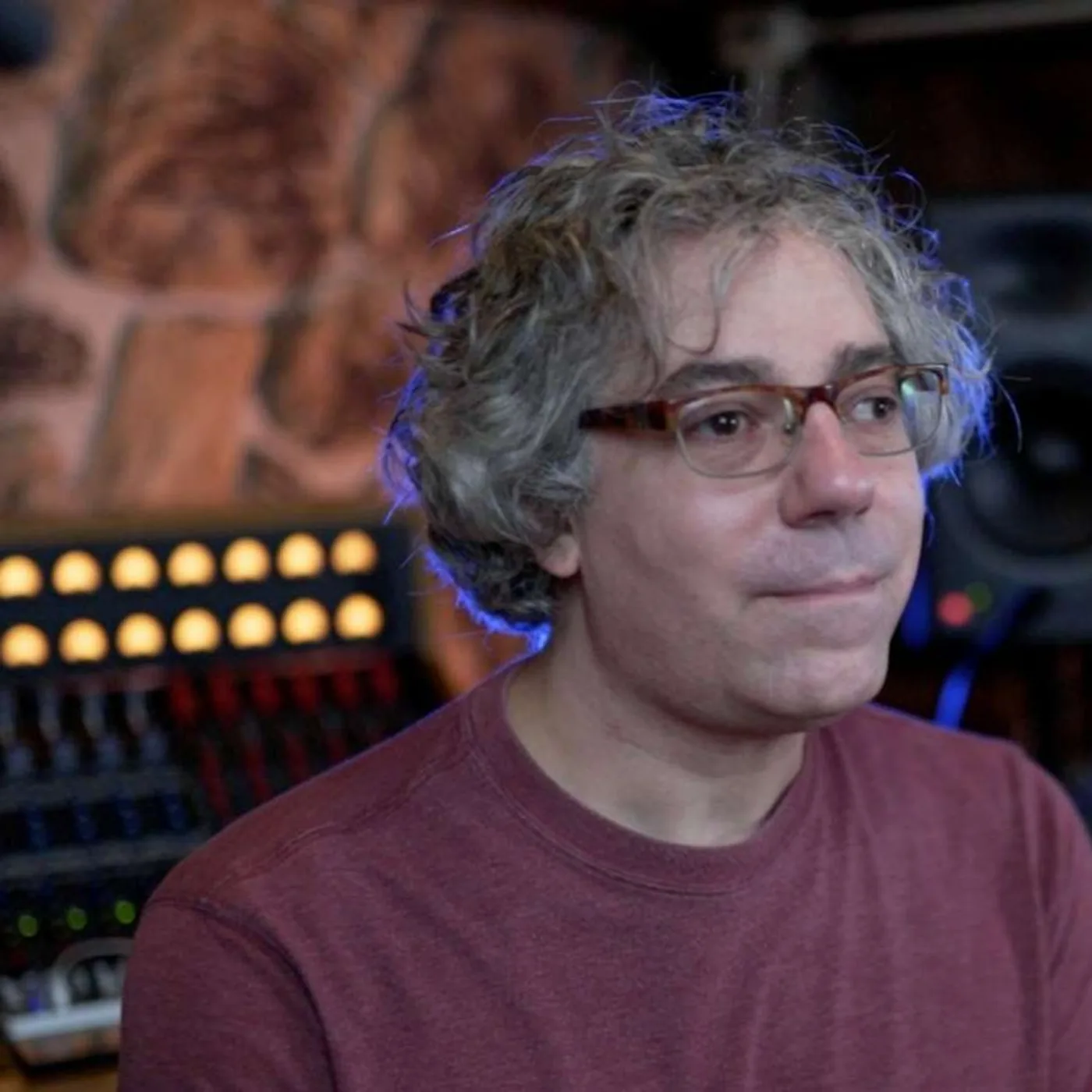
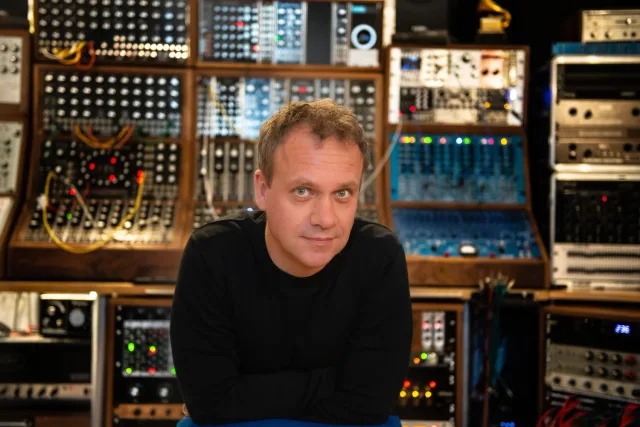
Dom Morley in a studio in front of racks of modular synthesisers

Straight away it sounds better to me than the industry leader - it dealt with the harshness completely, and the vocal is now warmer and rounder. ... It does that thing the best I’ve heard. It’s now my goto plugin for removing harshness

Dom Morley

Grammy-winning producer and mixer

Hear it

Hear Quance work

Pick a source and switch between the dry signal, the processed one and the residue Quance removed. The playhead keeps its place.

Vocal edge
0:00 / 0:00

Delta plays only what Quance removed. Dry and wet are loudness matched: what you hear is the processing, never volume.

Features

The Five Killer Features

Intelligent Learn: a head start from the audio itself

Play the part that bothers you and press Learn. Quance listens, finds the most noticeable stable resonances, and puts focus points right on them, matching each width to its peak. It also narrows the detection range around the problem area.

Some problems don't happen all the time. Sibilance might show up on certain words, or room ring might only appear on one note. A cymbal could sound harsh in the chorus but not in the verse. Click once to start an open-ended pass that listens through the problem part and tells you when it's done. Double-click for a fixed eight-second pass.

Learn follows the Mode you choose, so a vocal pass works differently from a drum pass. It never changes your Amount setting, and the whole result is one undo step. Keep it, refine it, or throw it away.

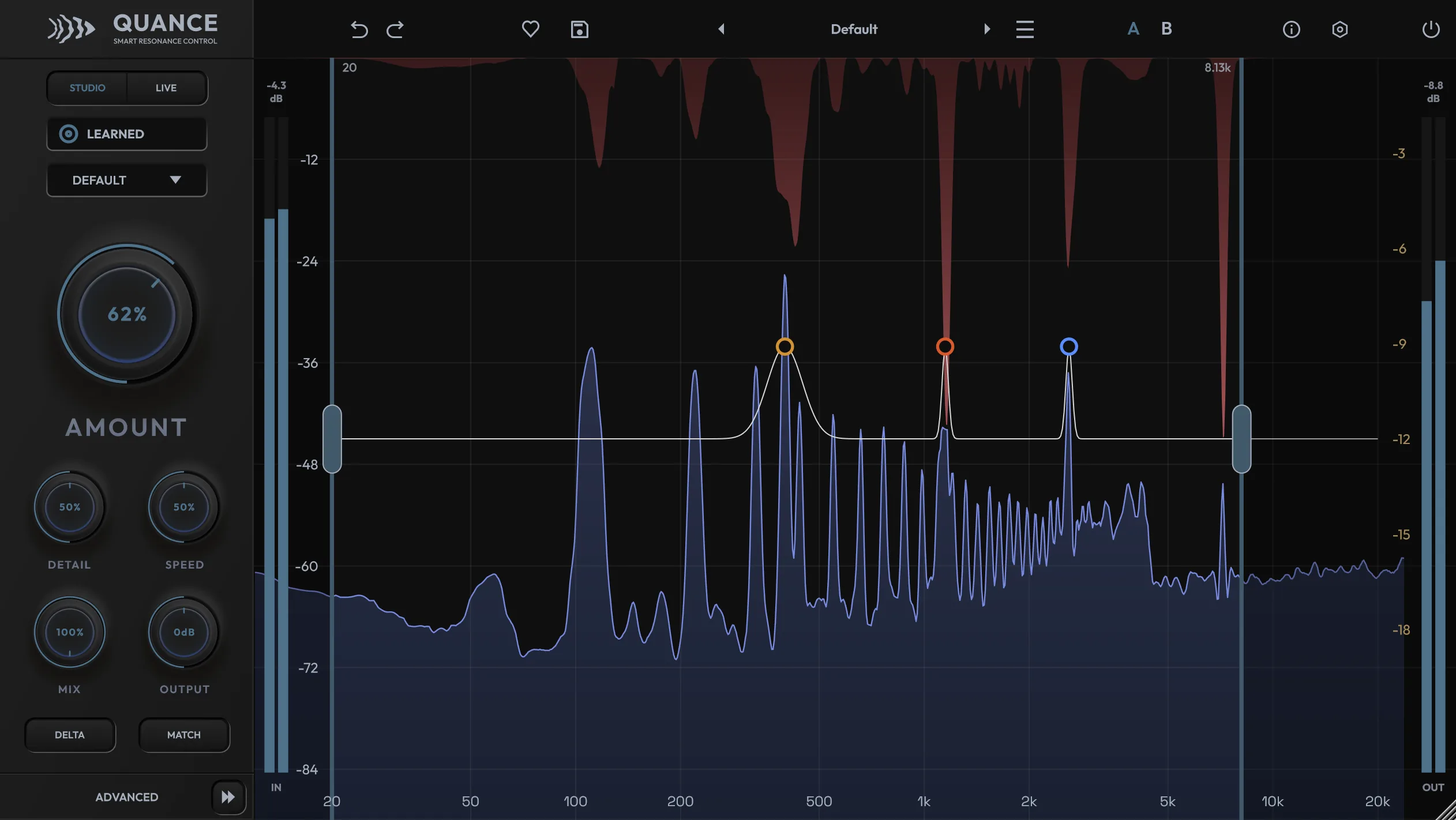
Quance after a Learn pass, showing LEARNED on the side panel, focus points placed on the detected resonances and the detection range narrowed around them
Ashton Parsons in a cap and glasses working at a live mixing console

Quance is now permanently on my guitar bus, I can’t believe how it so precisely cleans up the signal without any hassle or needing to do a second learn pass, it’s right from the start! A+ tool!

Ashton Parsons

Sound Engineer

Tone and Transient Protection: clean up without losing the performance

Tone Protect tracks fundamentals, overtones, and vocal formants, holding back reduction where a cut would harm them. Push a vocal hard and the vowels keep their color. Tame a cello and its body stays intact.

Transient Protect detects the attack of a drum hit, a consonant, or a pluck, and eases the reduction as it passes. A transient's wide burst can look like a resonance, but Quance can tell the difference. The snare keeps its crack and the vocal keeps its clarity.

Both features change with Mode. Drums mode focuses more on transient protection, while Vocal mode focuses on tone. If you're dealing with a pitched problem, like a ringing note or a howling room mode, turn protection down and let Quance handle it.

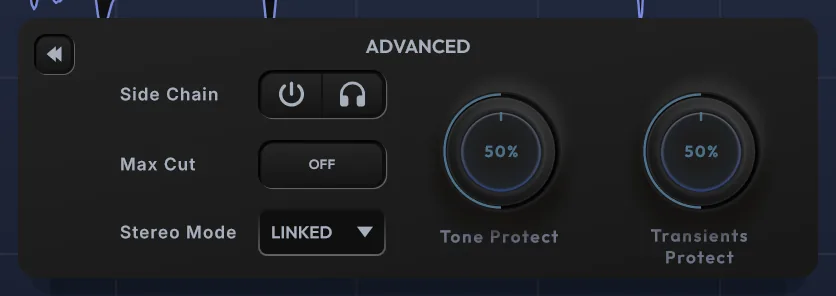
Quance Advanced panel with Side Chain, the Max Cut toggle, Stereo Mode and the Tone Protect and Transients Protect knobs
Tone Protect and Transients Protect sit on the Advanced panel, alongside the sidechain, the Max Cut toggle and the stereo mode.

Tame and Protect: eight focus points, four detection ranges

Automatic detection does most of the work. Focus points handle the rest. Double-click the graph to add one. Push it up to make detection more sensitive at that frequency, or pull it down to protect that area from reduction. Use up to eight at once, each with its own width, from a narrow notch to a broad curve.

Put a Protect point over the fundamental of a bass before you adjust Amount. Add a Tame point at 6 kHz on a sibilant vocal. Click the headphones on any point to solo that band and find the resonance by ear while you drag.

Detection ranges control where Quance can work. Use up to four at once to tame low-mid mud and top-end sibilance in one go, while leaving the presence region untouched. Seven range presets, from Sibilance to Snare Ring, are just a right-click away.

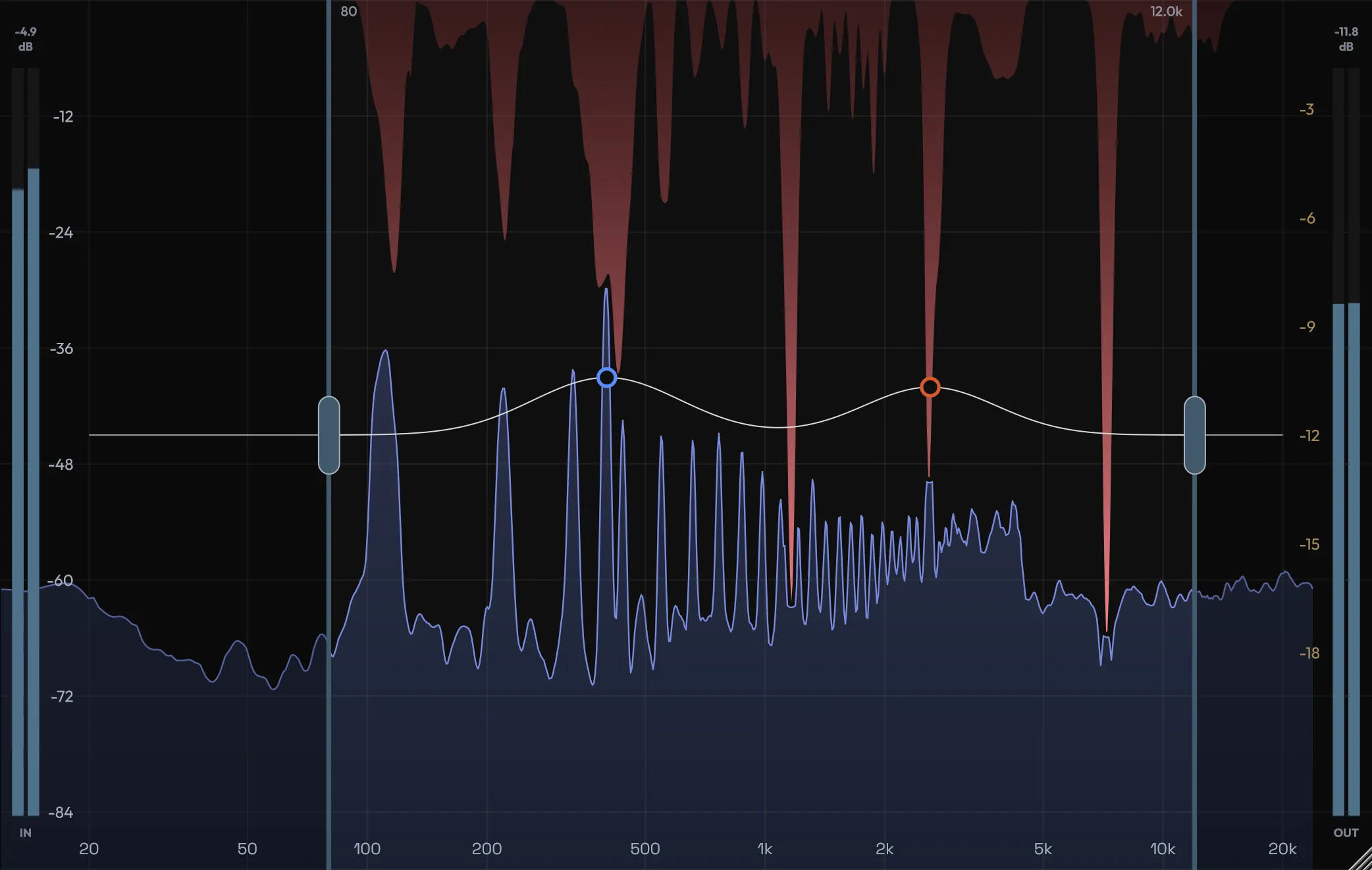
Quance graph on a piano, showing the blue output spectrum, the red gain-reduction overlay, two focus points and the detection range handles

Zero latency to ultra-high resolution: five quality grades

Quance has four different processing engines in two groups, so the plugin adapts to your needs instead of making you adapt to it.

Studio uses a three-band multi-resolution engine. Long analysis windows in the lows catch narrow room modes and bass ring, while short windows in the highs keep transients sharp. Studio Pro is the efficient default. Studio Ultra doubles every window for the best frequency resolution Quance offers, perfect for mixing and mastering when your DAW handles compensation.

Live is made for tracking, monitoring, streaming, and stage use. Light and Normal modes give you low-latency windowed processing. Zero mode is different: the audio never goes through an FFT. Instead, reduction uses 48 minimum-phase filters on a sample-aligned path, so Quance reports zero latency. You can sing, monitor, or perform live with it.

Switch grades during a session and Quance crossfades smoothly. No clicks.

Automatic Loudness Matching: judge tone, not level

When you remove resonances, the level drops. Quieter audio can sound worse in a quick A/B test, and that bias has made many engineers second-guess a good choice.

Turn on Match and Quance constantly measures the perceived loudness of input and output using a psychoacoustic measurement, then adjusts for the difference. Bypass comparisons, A/B snapshots, and preset auditions all become fair. All you have to judge is whether the track sounds better.

Pair it with Delta, which plays only what Quance is removing. Delta shows you what's being taken out. Match helps you decide if it was worth it.

Launch Sale ends 30 November 2026

  • Free 7-day trial
  • VST3 / AU / AAX
  • macOS + Windows

Feature Set

More in the box

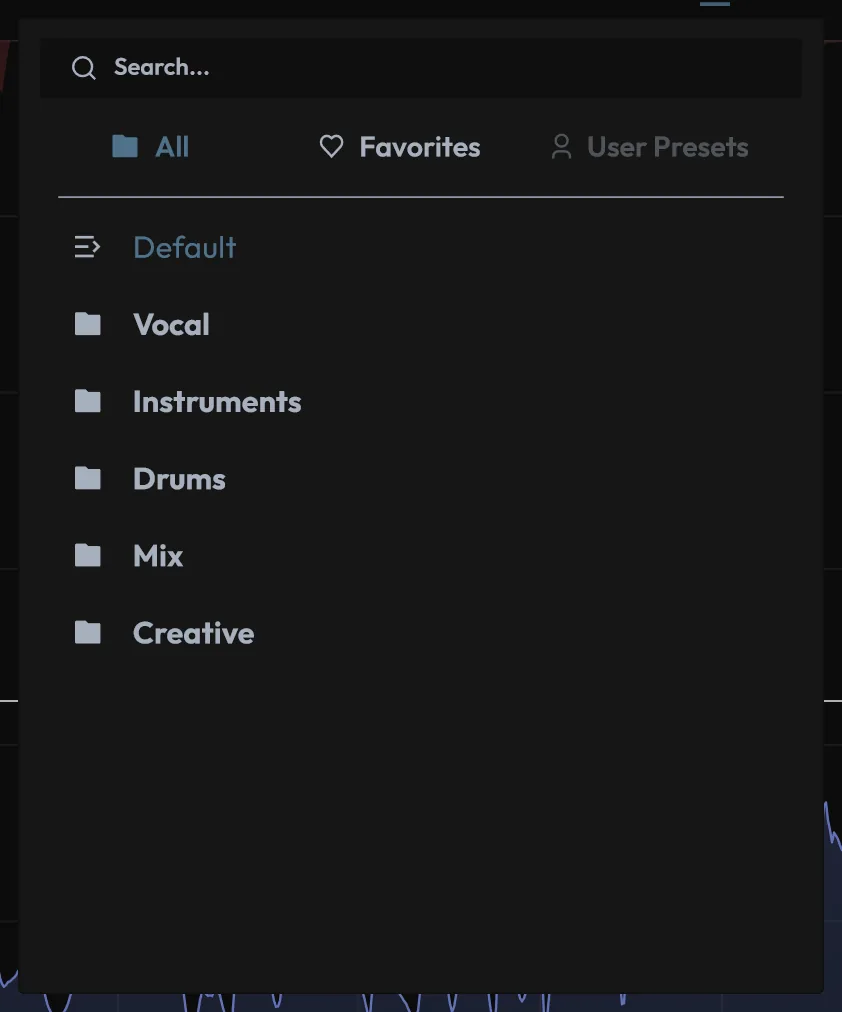
Quance preset browser with search, All, Favorites and User Presets tabs and the factory category folders
53 factory presets across Vocal, Instruments, Drums, Mix and Creative, with search and favourites.
Six Modes
Default, Vocal, Instrument, Drums, Mix and Hard each retune the detector and the protection systems for a family of material. Your knobs stay put. What changes is what Quance listens for and what it defends.
Detection that adapts to the source
The threshold follows your material's long-term spectrum, so a naturally bright source isn't punished for being bright.
Sidechain unmasking
Send the lead vocal into Quance on the guitar bus and the guitars dip only where the vocal needs space. A frequency-selective duck with no overall level drop.
Four stereo modes
Linked, Dual, Mid-Side and M-S Link. Chase harshness that lives in the centre or the sides without the image wandering.
Delta monitoring
Hear only what is being removed. Rings and fizz, very little of the instrument.
Detail and Speed
Smooth broad build-ups or snipe needle-thin peaks. Breathe with a pad or clamp a consonant.
Optional Max Cut ceiling
Leave it off and Amount governs depth. Switch it on for a guaranteed worst case on buses and masters.
53 task-named factory presets
Bright Mic Tamer, Podcast Room Ring, Cymbal Harshness, Streaming Polish. The name tells you the job, and every preset keeps the detection range fully open so nothing hides.
A/B snapshots and independent undo
Two complete setups to flip between, plus a history that steps through every knob move, Learn pass and point edit.
Linear or minimum phase
Minimum keeps percussive material natural. Linear blends cleanly for parallel work through the Mix control.
Steve DeMott in his studio, with a console and a monitor speaker behind him

Let’s be honest, when you need a tool like Quance you’re already dealing with issues from a less than perfect recording. The last thing you want is a tool that adds its own sets of problems. In my use of Quance I have found it to be exceptionally transparent while still able to tackle some egregious sonic problems. The true test is when you toggle between bypass & active and can hear things get better when Quance is active, but you don’t actually hear it working.

Steve DeMott

Audio engineer

Use Cases

Where Quance Makes Mixing Easier

Vocals and dialogue

Harsh top end, bright microphones, sibilance that only bites on certain words. Vocal mode guards the formants while Learn finds the offenders. For podcasts and voiceovers, it calms room ring from untreated spaces.

Drums

Ringing snares, fizzy cymbals, boxy room mics. Drums mode lets the hits through untouched and tames the ring and wash between them.

Guitars, keys and strings

Fizzy distortion, pick edge on acoustics, honky piano, scratchy upper strings. Instrument mode keeps the harmonic body while reducing the harshness.

Buses and masters

Low-mid cloud on a busy bus, a mix that wears out the ear after three plays. Mix mode works slower and broader, with a lower ceiling. The result is a calmer mix that still sounds the same size.

Samples and loops

De-harsh a loop before it goes near the beat, so it sits in the mix rather than on top of it.

Tracking and live

Live Zero puts resonance control in the monitor path with no added latency. Singers hear a smoother voice in their headphones, and the front of house gets a tool that reacts to the room.

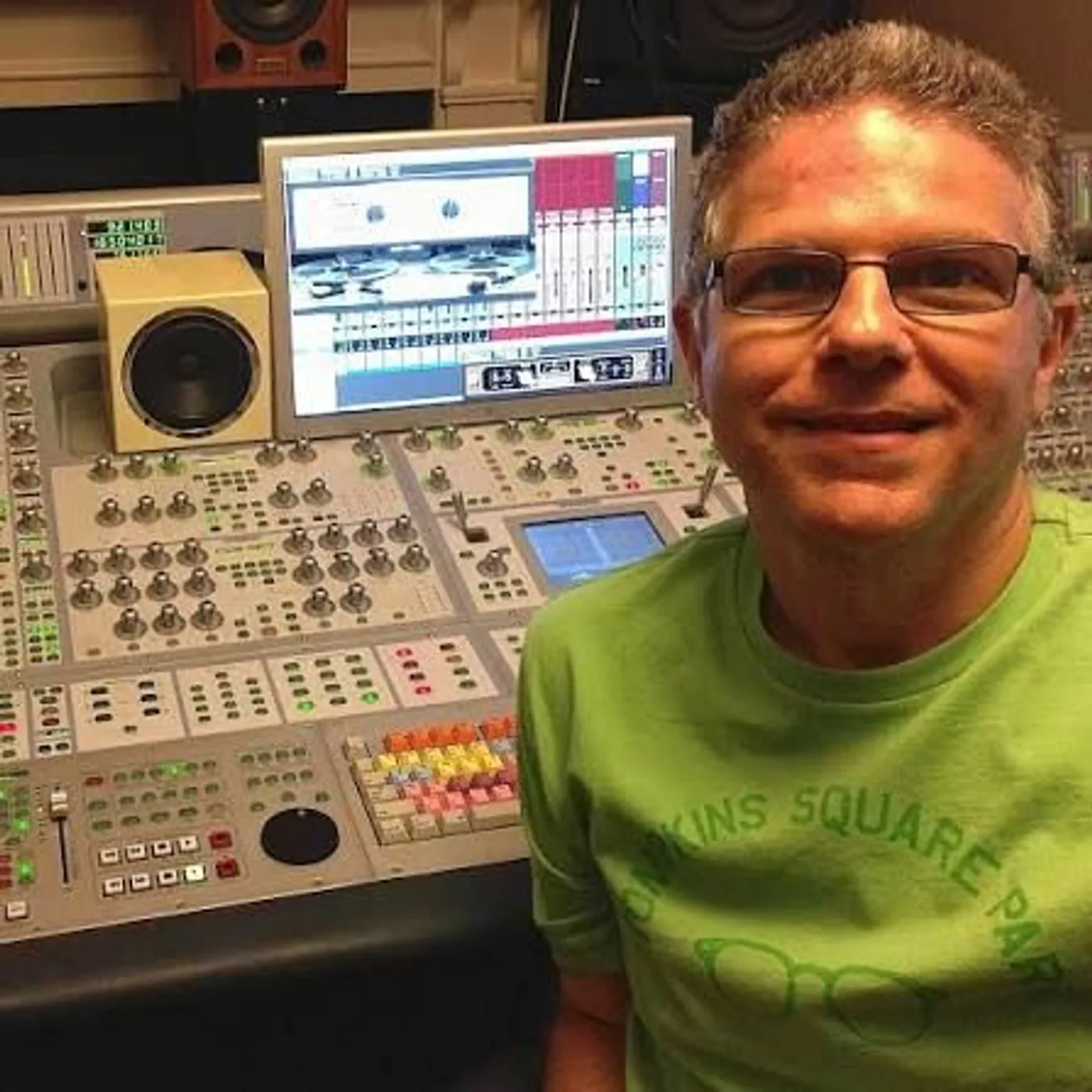
Michael Costa smiling at his mixing console, with a monitor and a speaker behind him

Quance is one of those processors that does its cool thing but doesn’t make your audio suffer because of it. It makes tracks sound like they were recorded better than they were.

Michael Costa

Audio Engineer

Formats, systems and latency

Tech specs

PlatformWindowsmacOS
Operating system Windows 10 or newer (64-bit) macOS 10.15 or newer, Intel and Apple Silicon
Formats VST3, AAX VST3, AU, AAX
Channels Mono and stereo Mono and stereo
Activation CodWaves account sign-in, offline option, 14-day grace period CodWaves account sign-in, offline option, 14-day grace period

Quality grades and latency

GradeEngineLatencyBest for
Live Zero 48-band minimum-phase filter bank 0 samples Monitoring, stage, streaming
Live Light Single-window, 1024 samples about 21 ms Tracking
Live Normal Single-window, 2048 samples about 43 ms Tracking with better low-end discrimination
Studio Pro Three-band multi-resolution, 4096 samples about 85 ms Mixing (default)
Studio Ultra Three-band multi-resolution, 8192 samples about 171 ms Mastering, finest resolution

All latency is reported to the host for automatic delay compensation. User manual (PDF)

Licensing and updates

Trial
Free 7-day trial
Purchase
One-time purchase, no subscription
Activations
Up to three active activations at a time, revocable from your account
Offline activation
Available by license file; permanently binds the license to that device
Updates
Free updates

Questions about Quance

FAQs

What is Quance?

Quance (pronounced kew-ants) is a resonance suppressor plugin from CodWaves. It analyses incoming audio, finds the narrow peaks and harsh build-ups that make a recording tiring to hear, and reduces them in real time. Tone and transient protection keep the source character intact while reducing harshness.

What does a resonance suppressor do?

A resonance suppressor tames frequencies that stick out of the spectrum, such as vocal harshness, cymbal fizz, snare ring or low-mid mud. Quance uses hundreds of fast spectral filters that move only where the spectrum misbehaves, and only while it misbehaves. That keeps the result far more transparent than a fixed EQ cut.

How is Quance different from a dynamic EQ?

With a dynamic EQ you choose the bands, frequencies and thresholds yourself. Quance finds the problem frequencies on its own and re-evaluates them every few milliseconds. You can still steer it by hand with up to eight focus points and four detection ranges when you want precise control.

Can Quance run with zero latency?

Yes. The Live Zero grade applies reduction through a bank of 48 minimum-phase filters on a causal, sample-aligned path, so Quance reports zero samples of latency. That makes it suitable for tracking, live monitoring, streaming and stage work. Studio grades offer higher frequency resolution for mixing and mastering.

Which plugin formats and DAWs does Quance support?

Quance runs as VST3 and AAX on Windows, and VST3, AU and AAX on macOS. It works in any DAW that supports one of those formats, including Pro Tools, Logic Pro, Cubase, Ableton Live, Studio One and REAPER, on mono and stereo tracks.

Does Quance run natively on Apple Silicon?

Yes. Quance supports macOS 10.15 or newer on both Intel and Apple Silicon Macs. On Windows it requires Windows 10 or newer, 64-bit.

How does the Learn function work?

Press Learn while a representative section plays. Quance listens, places up to four focus points on the most prominent stable resonances and narrows the detection range around them. A single click keeps listening until you stop it, which suits problems that appear only occasionally. A double-click runs a fixed eight-second pass.

Will Quance make my vocals sound dull or thin?

Quance is designed to avoid that. Tone Protect tracks fundamentals, harmonics and vocal formants and holds reduction back where a cut would damage them. Vocal mode raises tone protection further. You can also place Protect points over any region you want left completely untouched.

Can I use Quance as a de-esser?

Yes. Load the Sibilance detection range (4 to 14 kHz) or one of the Vocal Sibilance presets, then raise Amount. Because Quance targets the exact frequencies of each sibilant rather than a fixed band, the rest of the vocal stays open and natural.

Can I use Quance on the mix bus or master?

Yes. Mix mode is slower and broader with a lower reduction ceiling, built for buses and full mixes. Switch on the optional Max Cut ceiling to guarantee no single frequency drops by more than the amount you set, typically 2 to 4 dB on a master.

Does Quance support mid/side processing?

Yes. Quance offers four stereo modes: Linked, Dual, Mid-Side and M-S Link. Mid-Side treats the centre and sides independently, and M-S Link applies mid/side targeting with one shared reduction so the stereo image never moves.

What is sidechain unmasking?

Arm the sidechain and Quance detects resonances in an external signal while reducing them on the track it sits on. Send a lead vocal into Quance on a guitar bus, and the guitars dip only at the frequencies the vocal needs, with no overall level drop.

Why does processed audio sound quieter, and how does Loudness Match help?

Removing resonances lowers the level, and quieter audio often sounds worse in a quick comparison. Engage Match and Quance compensates using a psychoacoustically weighted loudness measurement, so bypass and A/B comparisons tell you about tone rather than volume.

How many presets come with Quance?

Quance ships with 53 factory presets across Vocal, Instruments, Drums, Mix and Creative categories. Each is named for its purpose, such as Bright Mic Tamer, Podcast Room Ring, Cymbal Harshness, and Streaming Polish.

Does Quance use a lot of CPU?

CPU use depends on the quality grade. The Live grades are the lightest, and Studio Ultra is the most demanding because it doubles the analysis windows. When the input falls silent, Quance pauses analysis to save CPU.

How do I activate Quance? Can I activate offline?

Activation runs through your CodWaves account in the browser, with no serial number to type. Studio machines without internet can use offline activation by exchanging a device file through another computer. If a machine goes offline after activation, Quance keeps working for 14 days.
Updates

Changelog

Read the Quance release record.

We use cookies for analytics and advertising.

Support